
Tool Module
Tools live in tools/<name>/ and mount at /tools/{key}. The framework handles routing, admin config UI, tags, and visibility — the module only needs a Register func.
Looking for LLM-facing modules?
Tools are designed for humans clicking a UI. For modules consumed by LLM clients (Claude, Cursor) over MCP, see Connector Module.
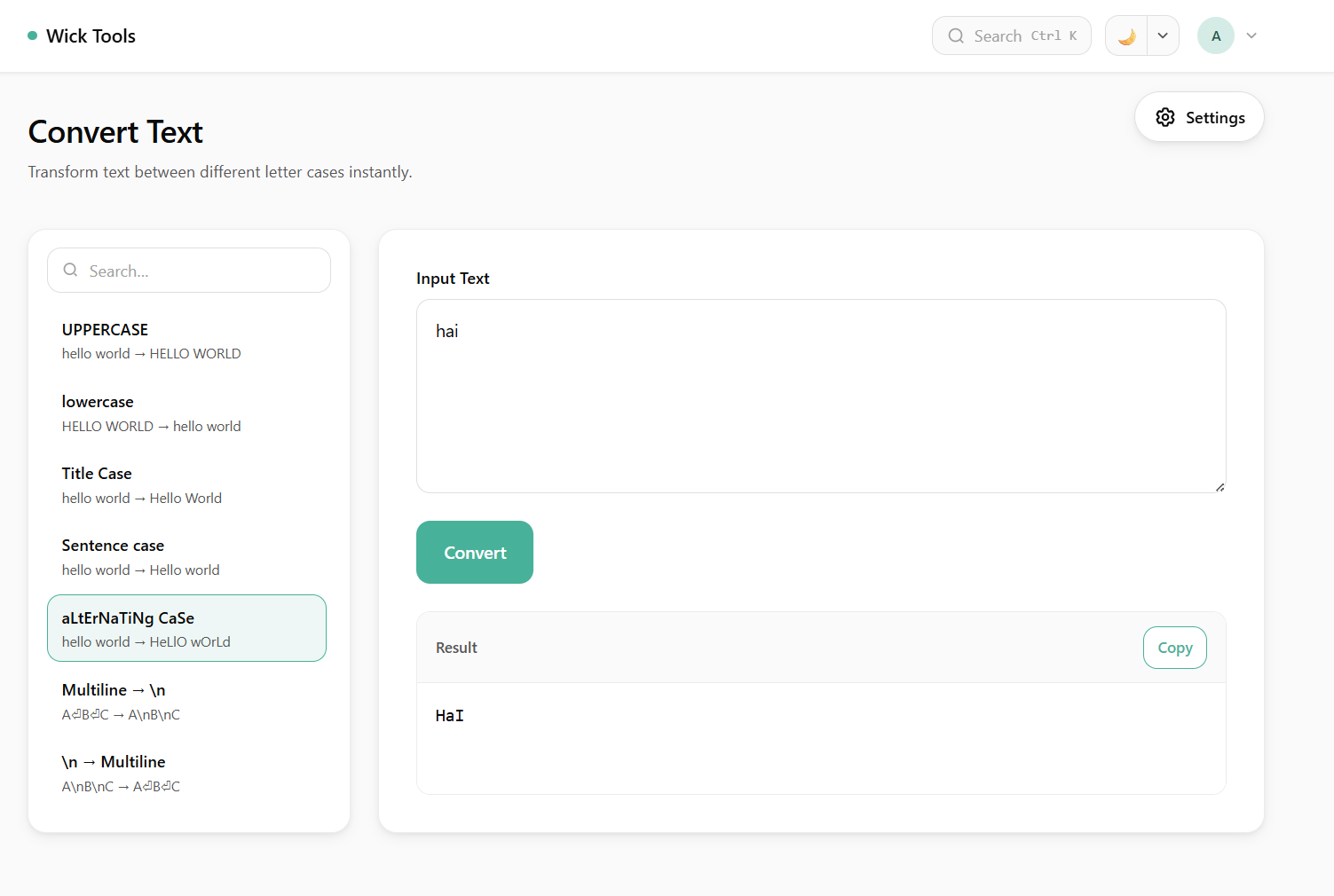 Example tool — Convert Text. Left panel lists modes, right panel handles input/output.
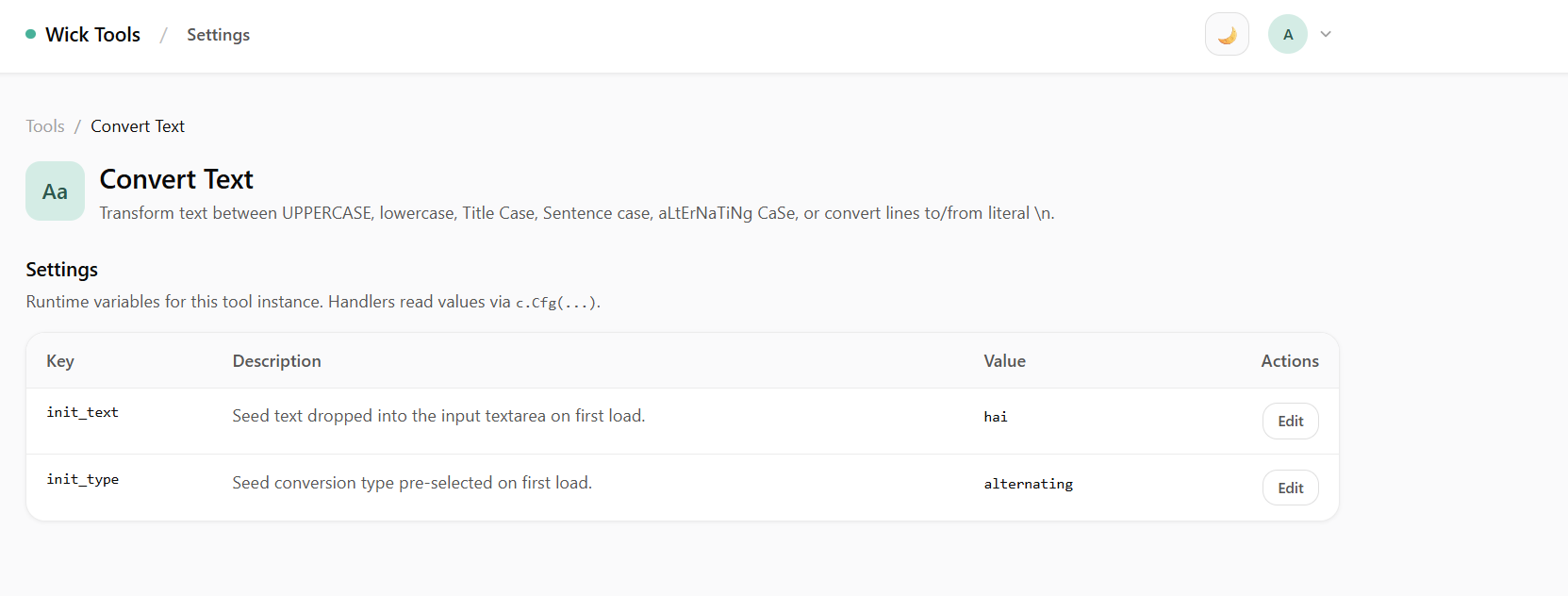 Tool settings — runtime config values editable without redeploying.
File Structure
tools/my-tool/
├── handler.go    # Register func + HTTP handler funcs
├── service.go    # business logic (pure Go)
├── repo.go       # external I/O — DB, HTTP, S3 (stub if not needed)
├── view.templ    # templ HTML template
├── config.go     # typed Config struct (if tool has runtime knobs)
├── static.go     # //go:embed declaration (if JS assets)
└── js/
    └── mytool.js # tool-scoped JS, no CDN
Register in main.go
app.RegisterTool(
    tool.Tool{
        Key:               "my-tool",
        Name:              "My Tool",
        Description:       "What this tool does.",
        Icon:              "🔧",
        Category:          "Text",
        DefaultVisibility: entity.VisibilityPublic,
        DefaultTags:       []tool.DefaultTag{tags.Text},
    },
    mytool.Config{InitText: "hello"},
    mytool.Register,
)
One call = one card on the home grid. Call again with a different Key (and optionally a different Config) to get a second card backed by the same Register func.
For tools with no runtime config:
app.RegisterToolNoConfig(
    tool.Tool{Key: "dashboard", Name: "Dashboard", Icon: "📊", ExternalURL: "https://grafana.example.com"},
    external.Register,
)
tool.Tool fields
| Field | Description |
|---|---|
Key | Unique slug, kebab-case. Drives the mount path /tools/{Key} |
Name | Display name shown on the card and page title |
Description | Card subtitle |
Icon | Emoji or short string shown on the card |
Category | Groups cards visually on the home grid |
DefaultVisibility | entity.VisibilityPublic or entity.VisibilityPrivate |
DefaultTags | Slice of tool.DefaultTag from tags/defaults.go |
ExternalURL | If set, card opens this URL in a new tab |
Register Function
package mytool

import "github.com/yogasw/wick/pkg/tool"

func Register(r tool.Router) {
    r.GET("/", index)
    r.POST("/", submit)
    r.Static("/static/", StaticFS) // only if you have JS assets
}
All paths are relative to /tools/{key} — never hardcode the full path.
Mounting a sub-router or reverse proxy
When a tool wraps an external handler that owns its own sub-routing (WebSocket proxy, embedded HTTP server), use r.HandleRaw:
r.HandleRaw("/tty/", func(cfg tool.ConfigReader) http.Handler {
    inner := externalSrv.Handler()
    return http.HandlerFunc(func(w http.ResponseWriter, req *http.Request) {
        if cfg.GetOwned("mytool", "enabled") != "true" {
            http.Error(w, "disabled", http.StatusForbidden)
            return
        }
        inner.ServeHTTP(w, req)
    })
})prefixis relative to/tools/{key}and must end with/fnreceives atool.ConfigReader— usecfg.GetOwned(key, field)to gate on runtime config- Use sparingly — prefer
r.GET/r.POSTfor normal endpoints
Gating a subtree with middleware
r.Use(prefix, mw) runs a tool.Middleware before every route covered by prefix — the exact path and anything nested under it, matched on segment boundaries. Register it once and every current or future subroute is covered, so a cross-cutting check (access control, logging) lives in one place instead of being repeated in each handler:
func Register(r tool.Router) {
    // Every /things/{id} and /things/{id}/... route is gated by one check.
    r.Use("/things/{id}", func(next tool.HandlerFunc) tool.HandlerFunc {
        return func(c *tool.Ctx) {
            if !callerMayAccess(c, c.PathValue("id")) {
                c.JSON(http.StatusNotFound, map[string]string{"error": "not found"})
                return // short-circuit: next is never called
            }
            next(c)
        }
    })

    r.GET("/things/{id}", show)
    r.POST("/things/{id}/rename", rename) // auto-gated, no per-handler check
}prefixis relative to/tools/{key}, same as route paths."/things/{id}"covers"/things/{id}"and"/things/{id}/rename", but not a sibling like"/things"or"/things/{id}x".- The middleware either calls
next(c)to proceed or writes a response and returns to short-circuit. - Multiple middlewares matching one route run in registration order (first registered = outermost).
- The chain is composed once at mount, not per request.
Unauthenticated webhook endpoints
Ordinary routes are gated by wick's per-tool access check — a request with no session cookie gets a 302 to /auth/login. That's fine for a human, but a webhook sender is a program: it can't follow the redirect, so its callback fails silently.
r.WebhookGroup(prefix) opens a JSON-only subtree that bypasses the access check entirely, so external systems can reach it regardless of the tool's own visibility:
func Register(r tool.Router) {
    r.GET("/", index)                  // private, HTML, login-gated as usual
    wh := r.WebhookGroup("/webhook")   // unauthenticated, JSON-only
    wh.POST("/hook", receive)          // POST /tools/{key}/webhook/hook
}

func receive(c *tool.WebhookCtx) {
    raw, _ := c.Body() // read raw bytes before decoding — signatures cover the exact body
    if !validSig(raw, c.Header("X-Hook-Signature"), c.Cfg("secret")) {
        c.Error(http.StatusUnauthorized, "bad signature")
        return
    }
    var payload map[string]any
    json.Unmarshal(raw, &payload)
    c.JSON(http.StatusOK, map[string]string{"status": "ok"})
}
The rest of the tool is unaffected — a Private tool stays private everywhere except the prefixes it opens this way.
Handlers on a webhook group receive *tool.WebhookCtx, not *tool.Ctx. It deliberately has no HTML, Redirect, or styled NotFound — the caller is a program, not a browser. It carries Body(), BindJSON, Header, Query, PathValue, Method, the full Cfg family (Cfg/CfgOf/CfgInt/CfgBool/Missing/ConfigReader), and JSON/Status/Error — Error replies JSON-shaped ({"error": msg}) rather than plain text.
The handler owns authentication entirely. Wick does not verify anything on this path. A few rules that matter in practice:
- Verify a signature with
hmac.Equal, never==— a plain string compare leaks timing information one byte at a time. - Call
c.Body()beforeBindJSON/json.Unmarshalif you need the raw bytes for a signature check — the body can only be read once, and the signature covers the exact bytes sent. - Fail closed when the configured secret is empty — don't let "no secret set" mean "signature always matches."
- Store the secret as a
wick:"secret"config row (see Runtime Config) so it can be rotated from the manager UI without a redeploy. Consider leaving it non-required, paired with abooltoggle that ships off — that way a tool that has never enabled its webhook doesn't show a permanent "setup required" banner, and a disabled endpoint can return404instead of403so probing can't tell installed-but-off apart from not-installed.
Two guard rails fail the build/boot rather than fail quietly at runtime:
WebhookGroup("/")is rejected — it would expose the whole tool unauthenticated.- A webhook route colliding with an ordinary route at the same
METHOD PATHis rejected — that would silently strip the access check off the existing route.
Declared webhook endpoints are listed on the tool's /manager/tools/{key} settings page with copy-ready absolute URLs, so an operator can see what answers without a login without reading the module source.
Reference implementation: template/tools/convert-text/webhook.go.
Webhook group vs. workflow webhook trigger
If the payload just needs to kick off steps an operator can wire up (call an API, run an agent, write a row), prefer a workflow webhook trigger (/webhook/{wf_id}/{slug}) — no Go code at all. Reach for WebhookGroup when the receiver needs real Go logic, a custom response body, or a home alongside an existing tool's UI and config.
Handlers
Handlers are plain top-level funcs that receive *tool.Ctx:
func index(c *tool.Ctx) {
    seed := c.Cfg("init_text")
    c.HTML(IndexBody(c.Meta().Name, c.Base(), seed))
}

func submit(c *tool.Ctx) {
    input := c.Form("input")
    c.HTML(IndexBody(c.Meta().Name, c.Base(), process(input)))
}
Ctx helpers
| Helper | Description |
|---|---|
c.Base() | Absolute base path /tools/{key} |
c.Meta() | The registered tool.Tool (Key, Name, Icon, …) |
c.Cfg(key) | Read runtime config value for this instance |
c.CfgInt(key) | Config value as int |
c.CfgBool(key) | Config value as bool |
c.Missing() | required config keys not yet set |
c.Form(key) | Form field value |
c.Query(key) | Query string value |
c.BindJSON(&v) | Decode JSON body |
c.HTML(body) | Write HTML response |
c.JSON(status, v) | Write JSON response |
c.Redirect(url, code) | Redirect |
Runtime Config
Declare a Config struct in config.go:
package mytool

type Config struct {
    InitText string `wick:"desc=Seed text on first load."`
    APIKey   string `wick:"desc=External API key.;secret;required"`
    MaxItems int    `wick:"desc=Max results.;number"`
    Mode     string `wick:"desc=Processing mode.;dropdown=fast|accurate|balanced"`
}
The framework reflects the struct into configs table rows at boot. Admin edits are live on the next request — no redeploy.
For the full widget table, all tag flags, key derivation rules, and the kvlist editable-table type, see the Config Tag Reference.
JavaScript Assets
// static.go
package mytool

import "embed"

//go:embed js
var StaticFS embed.FS
Mount and reference in handler + templ:
r.Static("/static/", StaticFS)<script src={ base + "/static/js/mytool.js" }></script>WARNING
//go:embed js fails if js/ doesn't exist. Create the directory with at least one file before running go build.
Tags
Add shared tags in tags/defaults.go:
var MyGroup = tool.DefaultTag{
    Name:        "MyGroup",
    Description: "Tools for X.",
    IsGroup:     true,
    SortOrder:   20,
}
Reference in main.go:
DefaultTags: []tool.DefaultTag{tags.MyGroup},TIP
Check if an existing tag fits before adding a new one — fewer tags keeps the home grid clean.