
Introduction
Wick is a Go framework for building internal tools, admin panels, and background jobs — designed to be driven by AI. Scaffold a project, describe what you need, and the framework handles admin, tags, SSO, config management, and routing automatically.
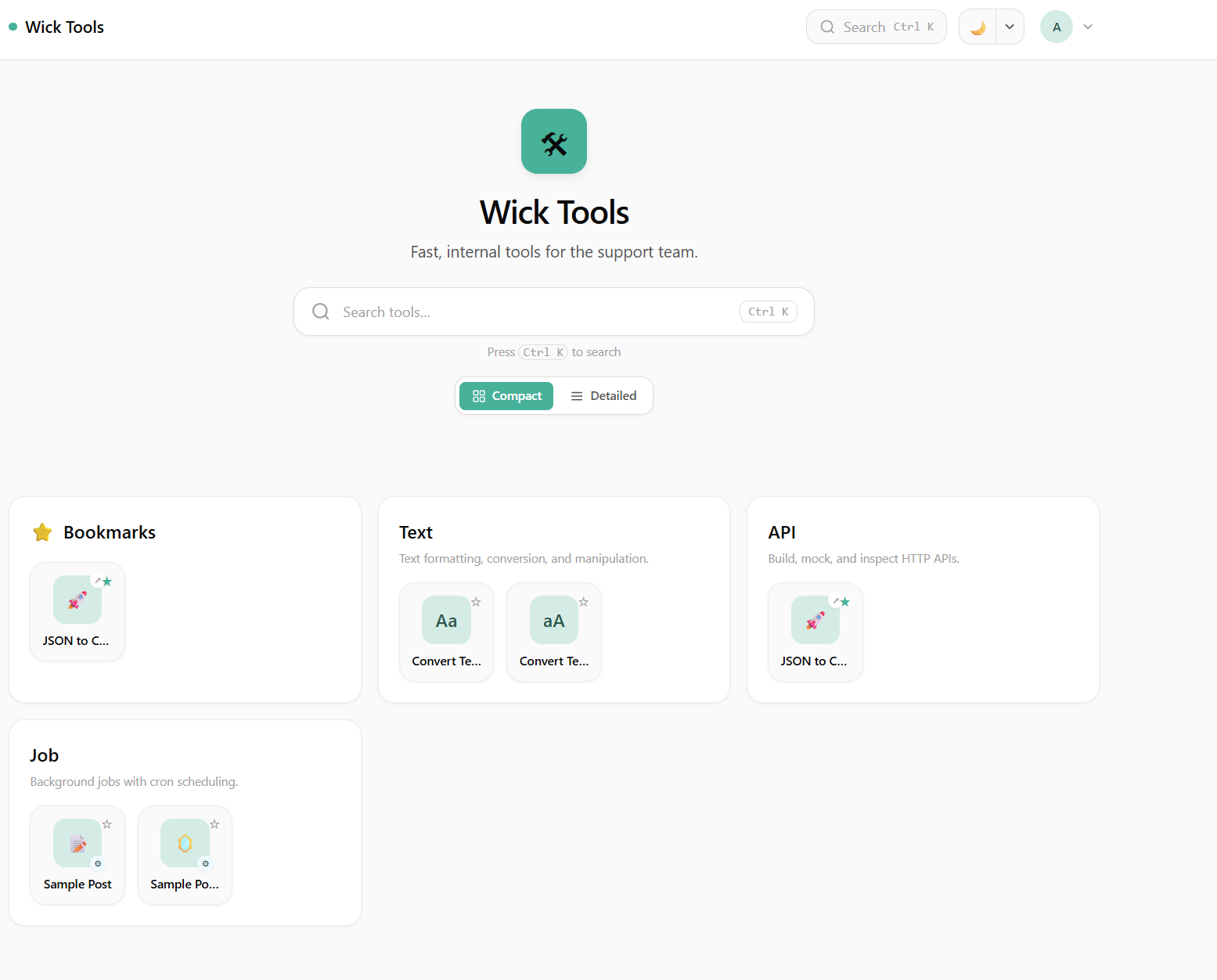 Home page — tools grouped by tag, searchable, compact or detailed view.
UI Stack
Wick uses Tailwind CSS for styling and templ for HTML templating. Both are installed automatically by go run . setup — no manual configuration needed.
- Tailwind CSS — utility-first CSS, standalone CLI (no Node.js required)
- templ — type-safe Go HTML templates that compile to Go code
go run . dev runs templ generate and rebuilds CSS before starting the server. wick.yml handles everything.
Project Structure
my-app/
├── main.go          # register tools, jobs, and connectors here
├── AGENTS.md        # AI agent instructions (read by Claude)
├── .claude/skills/  # bundled AI skills (tool-module, connector-module, design-system)
├── wick.yml         # task runner config
├── .env             # environment variables
├── tools/
│   ├── convert-text/   # example tool
│   └── external/       # external link cards
├── jobs/
│   └── auto-get-data/  # example background job
├── connectors/
│   └── crudcrud/       # example connector (LLM-facing via MCP)
└── tags/
    └── defaults.go     # shared tag catalog
Module Types
| Type | Audience | Location | Entry Point | URL |
|---|---|---|---|---|
| Tool | Humans (web UI) | tools/{name}/ | Register(r tool.Router) | /tools/{key} |
| Job | Scheduler | jobs/{name}/ | Run(ctx) (string, error) | /jobs/{key} |
| Connector | LLMs (via MCP) | connectors/{name}/ | Operations() + ExecuteFunc | /mcp (LLM) + /manager/connectors/{key} (admin) |
| Agents | Slack / Telegram / Web UI | built-in | /tools/agents | spawns Claude / Codex / Gemini as subprocess, multi-channel routing |
What the Framework Handles
You write the business logic. Wick handles everything else:
- Admin UI — config editor, tag management, job schedule, connector test panel + history
- Tags & visibility — group tools, set public/private per tool, filter-tag access control
- SSO — configurable from admin panel, no code changes
- Runtime config — typed
Configstructs reflected into admin-editable rows - Run history — every job execution logged; every connector call audited per-row
- MCP server — built-in
/mcpendpoint exposes connectors to Claude, Cursor, custom agents - Auth surface — OAuth 2.1 (DCR + PKCE) and Personal Access Tokens, both at
/profile/* - Routing — tools mount at
/tools/{key}, jobs at/jobs/{key}, connectors at/manager/connectors/{key}
Admin Panel
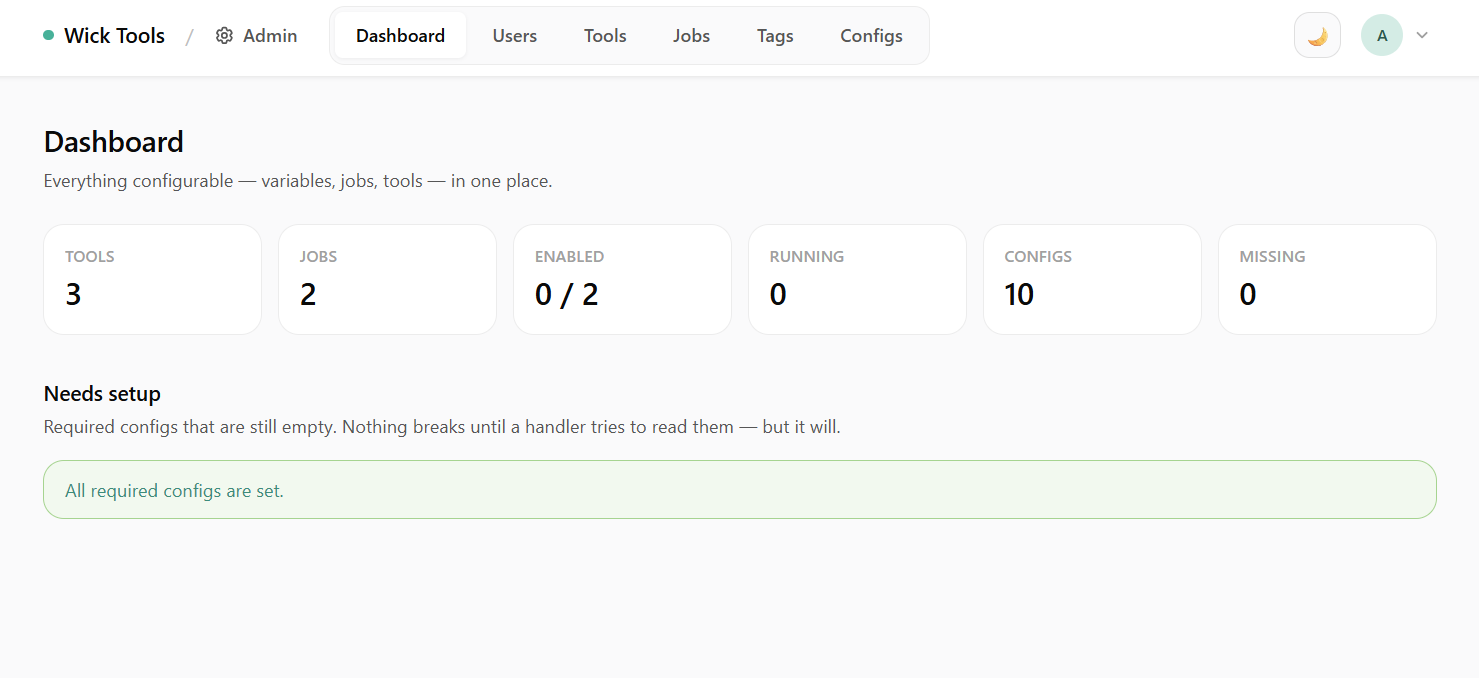 Dashboard — top-line stats split into Modules (execution health) and Access (auth surface).
The admin panel covers users, modules, tags, runtime config, and the LLM auth surface — all from one place, no separate codebase. See Admin Panel for screenshots and notes on every page (/admin/users, /admin/tools, /admin/jobs, /admin/connectors, /admin/access-tokens, /admin/connections, /admin/tags, /admin/advanced).
LLM Surface
Connectors are exposed to LLM clients via the Model Context Protocol. Every authenticated user can paste a wick URL or token into Claude.ai, Claude Desktop, Cursor, or any MCP-aware agent and immediately call the connectors visible to them. See:
- Connector Module — module shape and per-row admin UI
- MCP for LLMs — transport, meta-tool dispatch, install snippets
- Access Tokens and OAuth Connections — auth modes
AI Agents (Slack / Telegram / Web)
Wick can host AI coding agents — Claude, Codex, Gemini — as long-lived subprocesses, reachable from Slack threads, Telegram chats, and the web UI at the same time. Each conversation = a wick session, sharing a project folder and a multi-instance provider config.
- Multi-channel routing — same agent reachable from three transports.
- Multi-session pool — concurrent slot cap, FIFO queue, idle-kill,
--resumerevive. - Command Gate — every Bash command intercepted; 4-mode interactive approval surfaced in whichever channel the conversation lives in.
- AskUser MCP tool — agent asks a mid-turn question, web UI renders a card, answer goes back as MCP tool result.
See the AI Agents guide for the full breakdown.