
Access Tokens (PAT)
Personal Access Tokens are static bearer credentials a user generates for clients that cannot speak the OAuth dance — Claude Desktop, Cursor, cURL, custom CLIs. One token = one user; a single user can hold many tokens (one per device, one per CI runner, etc.).
For browser-based clients that do speak OAuth (Claude.ai), use OAuth Connections instead — no token paste, server-side revoke is per-grant.
Format and storage
wick_pat_<32 hex characters>Tokens are opaque (not JWT) and stored as SHA-256 hashes. The plaintext crosses the wire once — the render-once banner shown immediately after Create. Wick has no way to display the plaintext again; if the user loses it, they regenerate.
A database leak does not expose tokens — only hashes.
Generate a token
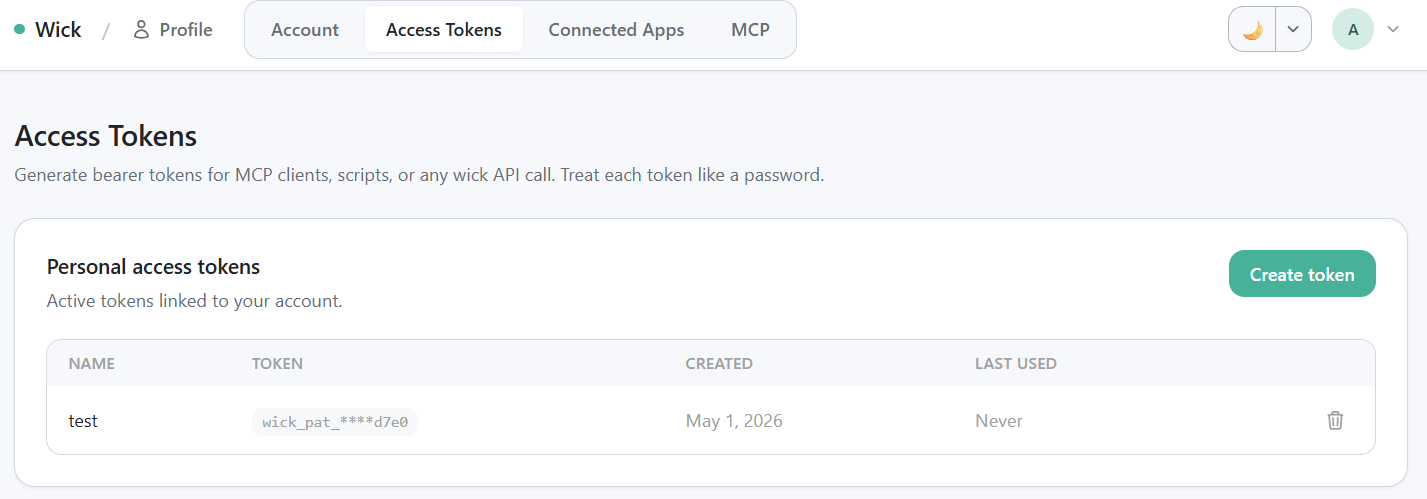
/profile/tokens table — Name · Token (masked) · Created · Last used · Revoke.
- Open
/profile/tokensand click Create token. - Pick a name that identifies where the token will live ("Laptop", "Production CI", "Mac Mini"). The name is for your own bookkeeping; revoking by name is faster than reading masked hex.
- Click Generate.
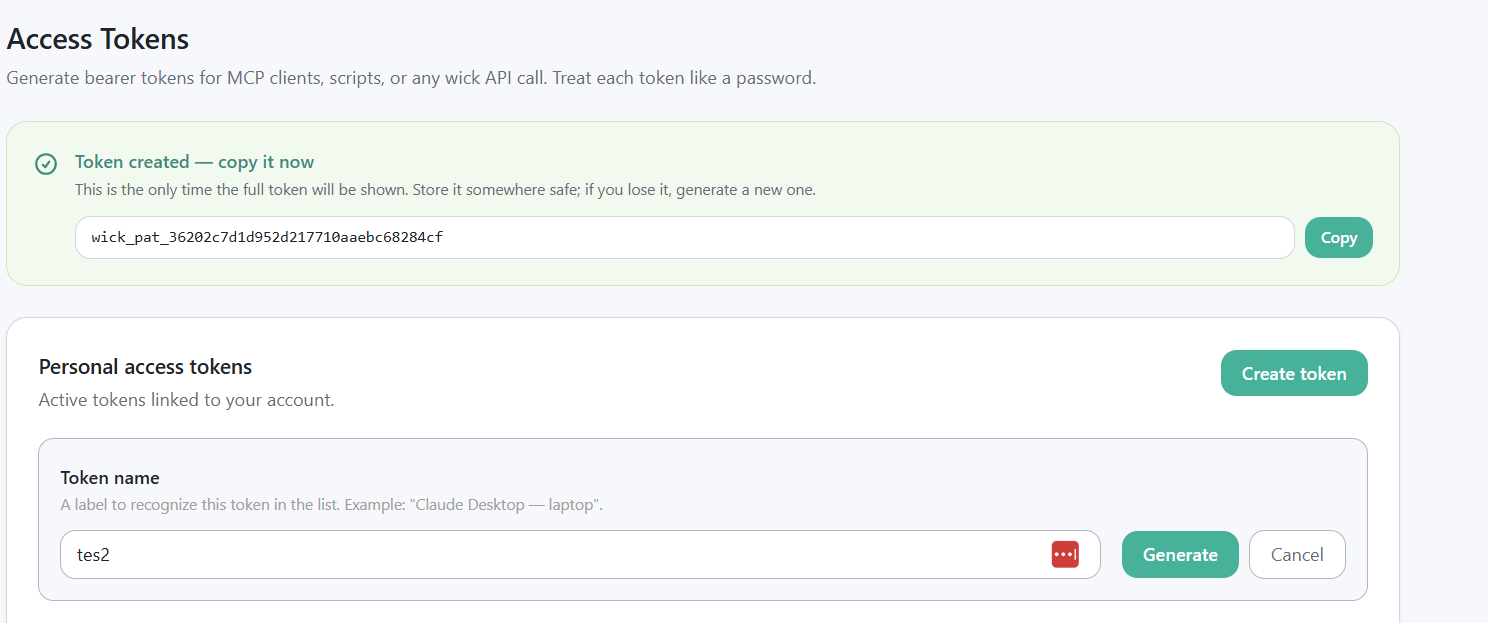
Render-once green banner showing the plaintext wick_pat_xxx token + "won't be shown again" warning.
- Copy the plaintext token from the banner immediately. It will not be shown again.
- Paste into your client config. See the MCP install snippets for Claude Desktop, Cursor, VSCode, and cURL formats.
When PAT vs OAuth?
| Need | Use |
|---|---|
| Claude.ai, web UI clients with OAuth support | OAuth Connections |
| Claude Desktop, Cursor, VSCode | PAT |
| cURL, ad-hoc scripts, CI runners | PAT |
| Custom MCP client that doesn't implement OAuth | PAT |
Both modes coexist on the same /mcp endpoint — wick dispatches based on the token prefix.
Token scope
A PAT carries the same permissions as the user that issued it. There is no per-token capability scoping yet — a token can call every connector the user has access to via tags. Treat tokens like passwords:
- Store in a password manager or a CI secret store.
- Never commit to a repo.
- Use a different token per device so revoking one doesn't break the others.
Revoke a token
A user revokes their own tokens at /profile/tokens. Click the trash icon on the row — instant, no confirmation dance. The next API call using that token returns 401.
Admin override
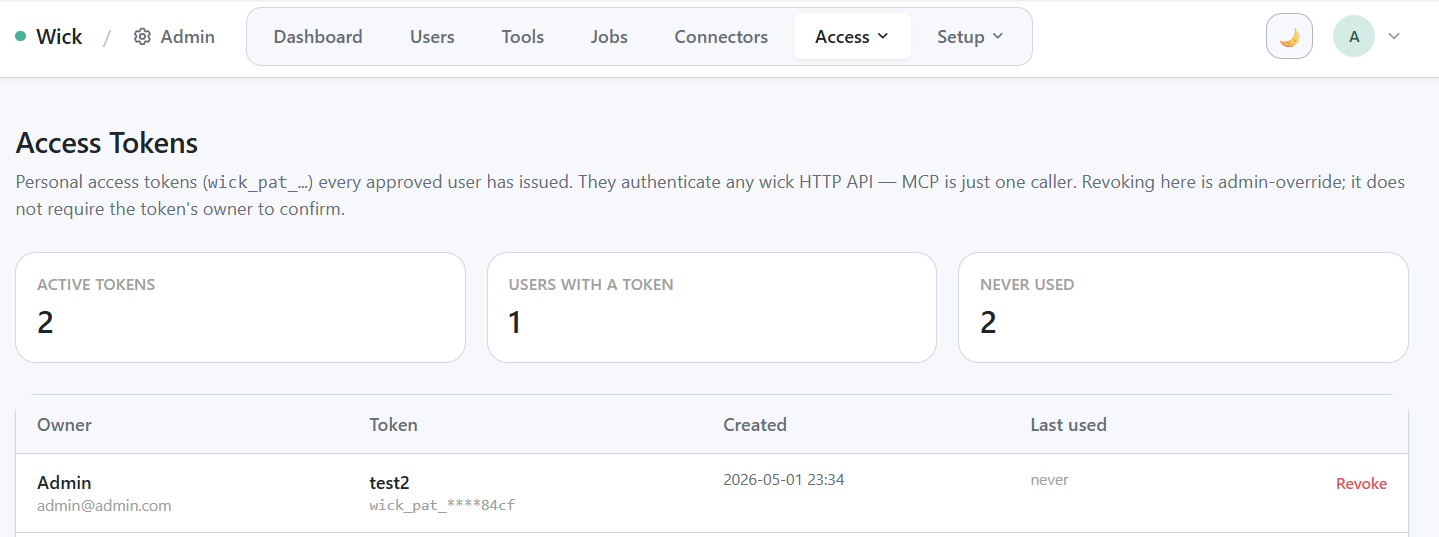
/admin/access-tokens cross-user view — stat card row + table.
/admin/access-tokens lists every active PAT across every user. Admins can revoke any token without the owner's consent — useful when a token has been compromised or a user has left the team.
The page also surfaces three quick stats: active token count, distinct users with tokens, and tokens never used since creation (cleanup candidate).
Audit per call
Every MCP call carries the user identity into connector_runs.user_id, plus the caller IP and User-Agent. As of this writing, the specific token used is not tracked — a user with multiple PATs sees all calls aggregated by user, not by token. If you need per-token audit (e.g. to triage a leaked token), the workaround is to issue a new token, revoke the old one, and let the run history continue accruing — the gap maps cleanly.
Per-token audit is on the roadmap; see internal/docs/connectors-design.md section 10.7.
Common questions
Can I rename a token after Create? No — rename means revoke + regenerate.
Can I extend the lifetime? PATs have no expiry. They live until revoked. (OAuth access tokens, by contrast, expire after 1 hour and refresh on their own.)
Can I scope a token to one connector? Not yet — see the design note in 10.7. For team-wide scoping, use tags on the connector row.
What happens if I delete the user that owns a token? The token is revoked along with the user. Any in-flight call returns 401 on its next request.
Reference
- MCP transport: MCP for LLMs
- OAuth alternative: OAuth Connections
- Token format and storage details:
internal/docs/connectors-design.mdsection 8.2