
Admin Panel
Wick ships a full-featured admin panel at /admin/* — no separate codebase, no extra service. Admins manage users, modules, tags, configs, and the MCP auth surface from one place. Non-admins never see these pages.
This page collects screenshots of every admin surface in one place. Each subsection has a one-paragraph summary plus a link to the operational guide.
Who counts as an admin?
A user becomes admin in one of two ways: their email is in APP_ADMIN_EMAILS at first login, or an existing admin promotes them at /admin/users. See Environment Variables for the env-only bootstrap path.
Dashboard
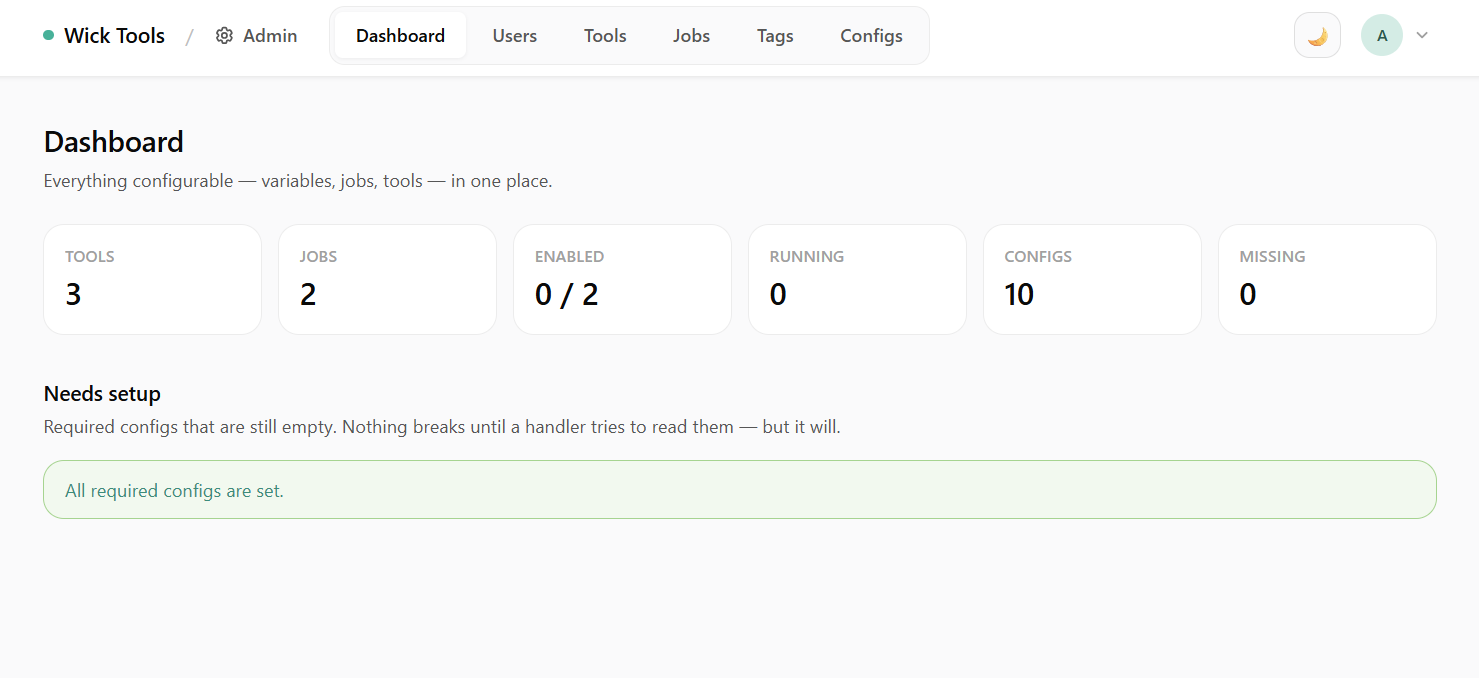 Dashboard — top-line stats split into Modules (execution health) and Access (auth surface). Clickable Connector / Access Token / Connected App cards jump to the matching admin page.
The dashboard groups stats into two clusters so module health and auth surface don't visually mix:
- Modules — Tools, Jobs, Enabled count, Running count, total Configs, Missing-required-configs count.
- Access — Connectors, Access Tokens, Connected Apps. Each card links to the page below.
Users
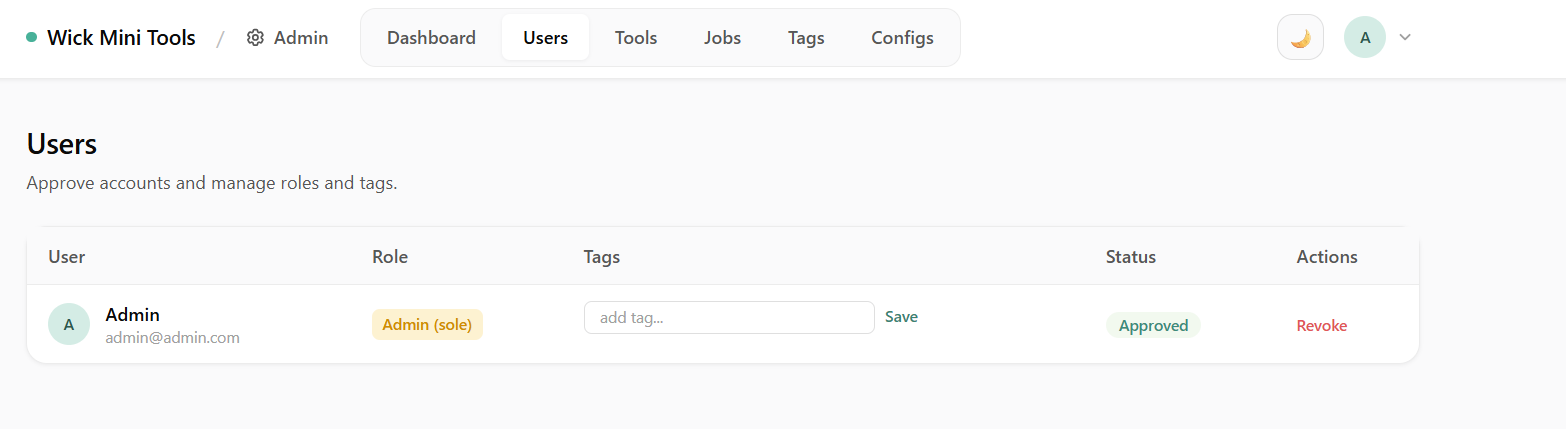 Users — approve accounts, assign roles (admin / user) and access tags. System tags are filtered out of the picker; role auto-syncs system tags on promote/demote.
Approve newly-registered users, demote/promote roles, and attach access tags. The tag picker hides System tags (code-managed, see Connector Runs Purge).
Tools
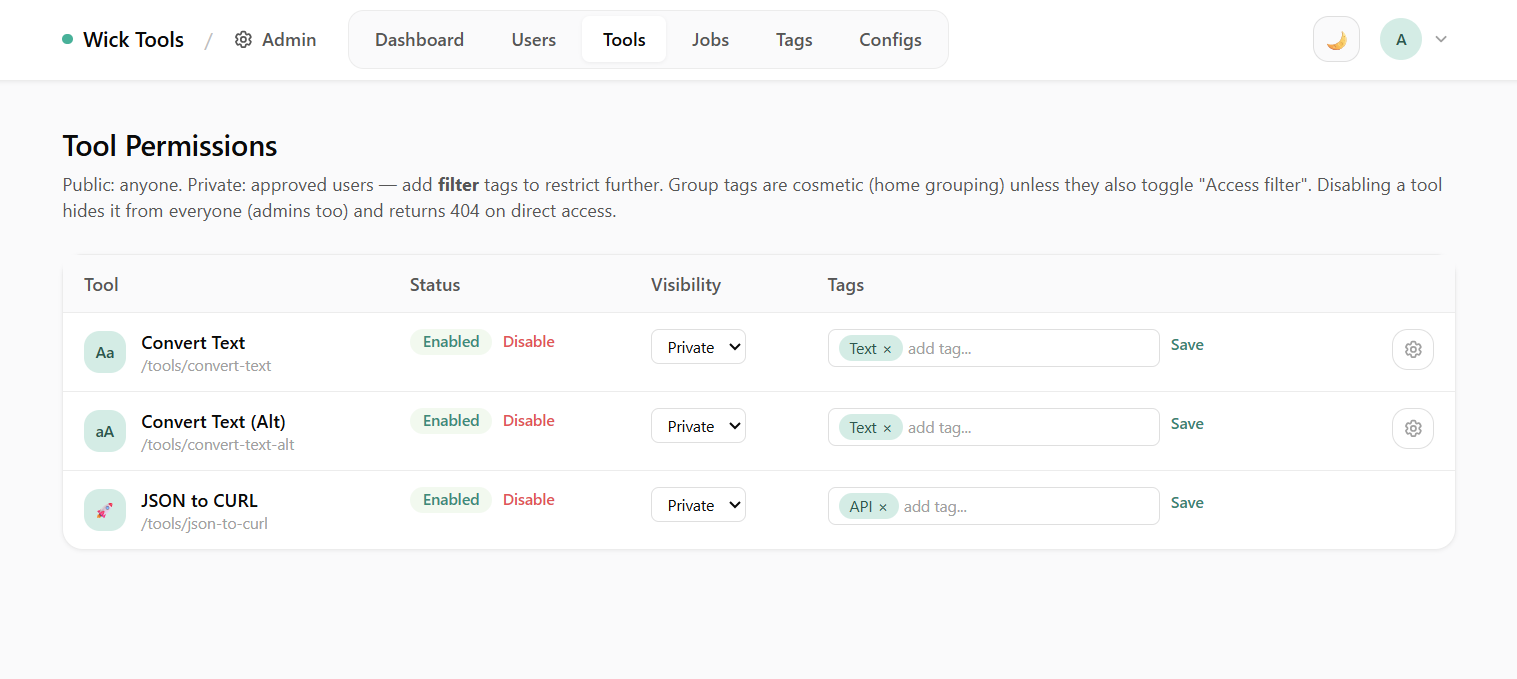 Tool Permissions — enable/disable tools, set per-tool visibility (public/private), assign tags.
Disabling a tool here is a kill-switch — the tool disappears from the home grid and Ctrl+K palette without a redeploy. Tag assignments here drive the home-grid grouping and (for filter tags) access control.
Jobs
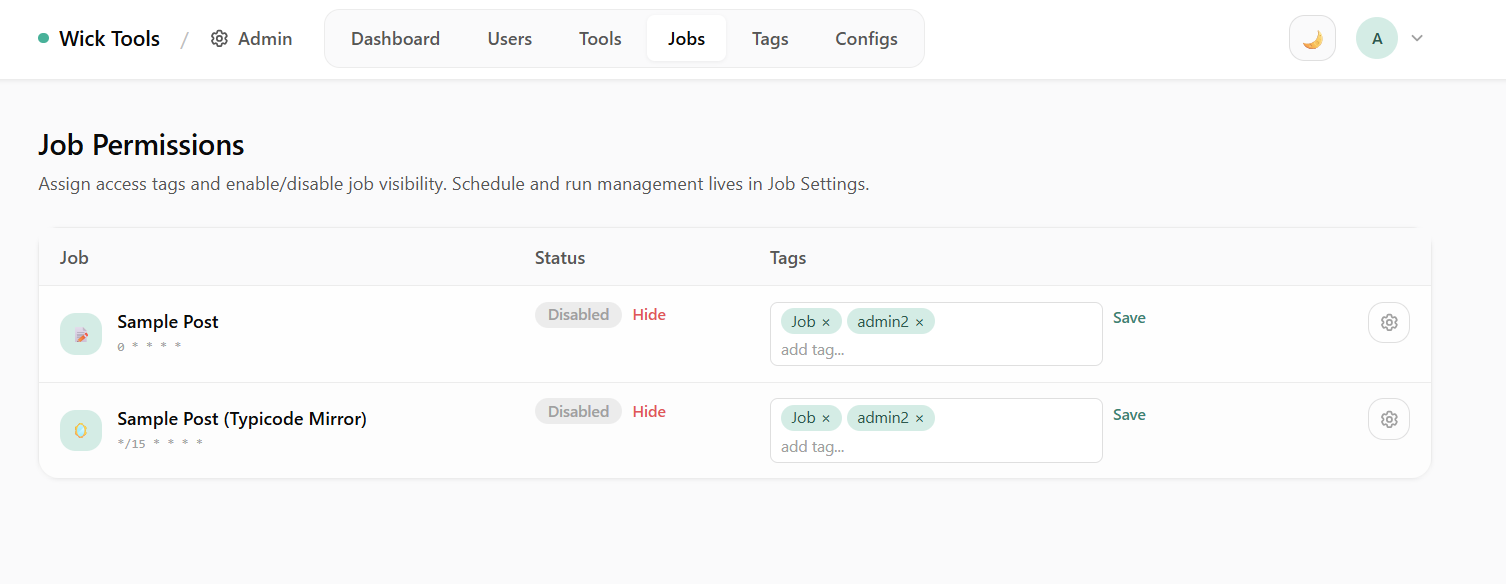 Job Permissions — enable/disable jobs, assign access tags. System-tagged jobs (e.g.
 connector-runs-purge) are locked: no Hide/Show button, no tag mutation, no schedule disable from this page.
For System-tagged jobs the action buttons are removed and the tag picker is read-only. Manage retention windows and cron schedules from /manager/jobs/{key} instead.
Connectors
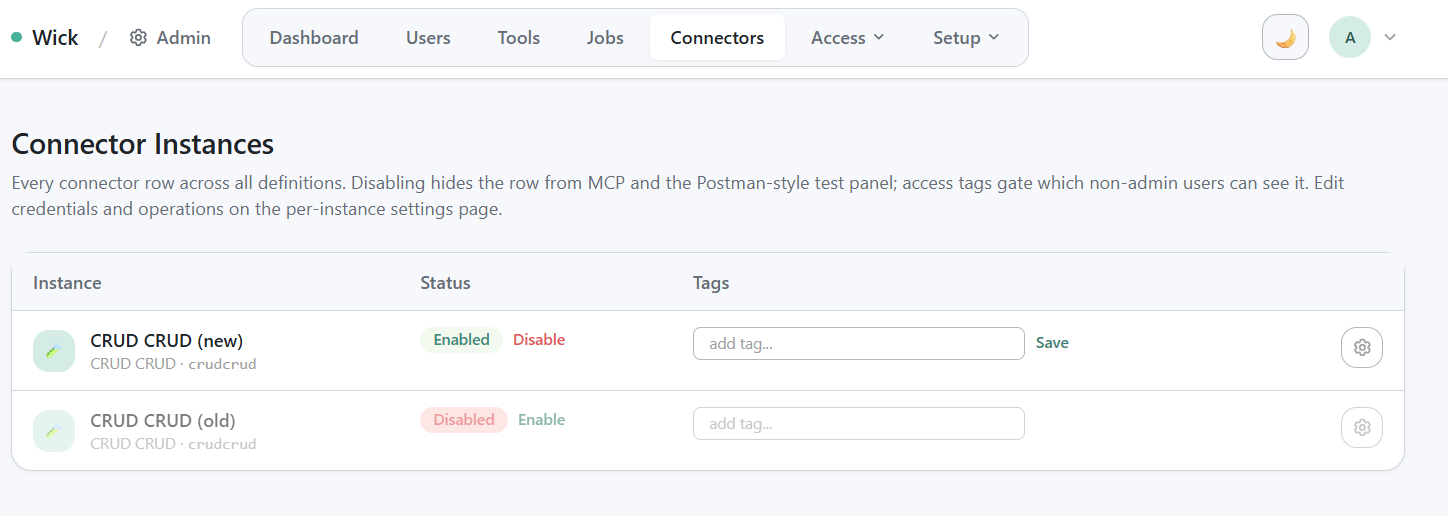
/admin/connectors cross-Key list — Disabled toggles, per-row tag picker, "Module not registered" badge for orphans.
/admin/connectors is the cross-Key list of every connector row across every user. Toggle Disabled to hide a row from MCP tools/list and from /manager/connectors. The tag picker reuses ToolTag with path /connectors/{id} — same mechanism as Tools.
A row whose Key no longer has a registered module is tolerated: the row stays, marked "Module not registered". wick_execute against such a row returns an error.
Operational guide: Connector Module.
Access Tokens
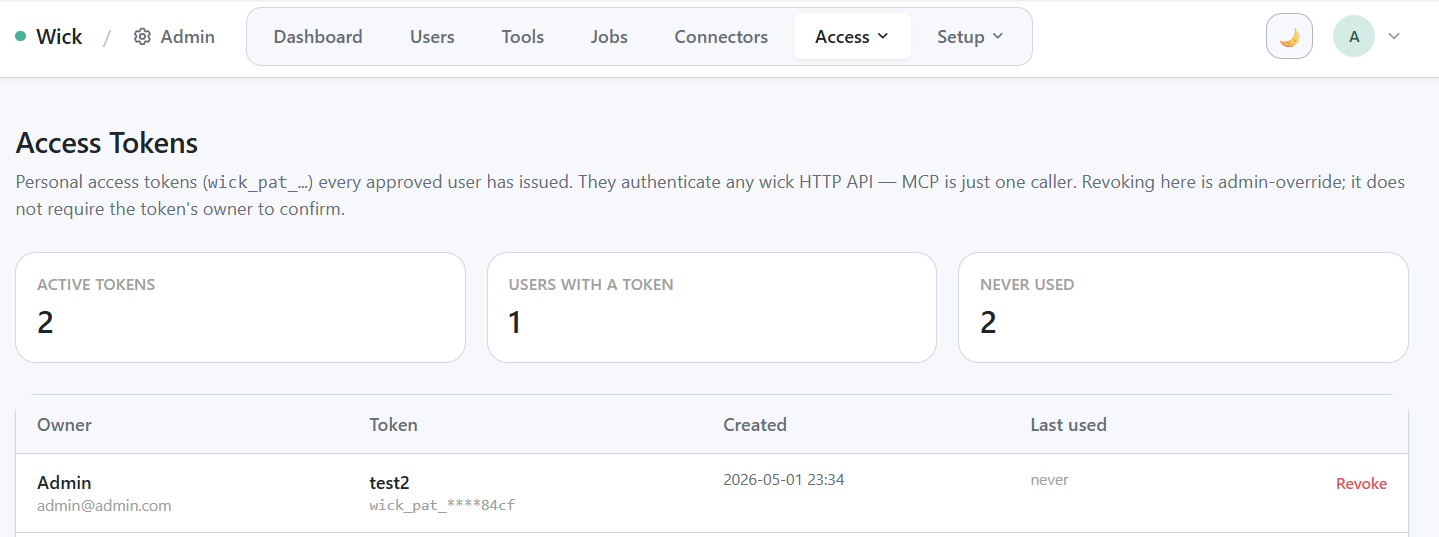
/admin/access-tokens cross-user view — stat card row + table.
Cross-user view of every active Personal Access Token. Admins can revoke any token without the owner's consent — useful when a token has been compromised or a user has left the team.
Operational guide: Access Tokens (PAT).
Connected Apps (OAuth)
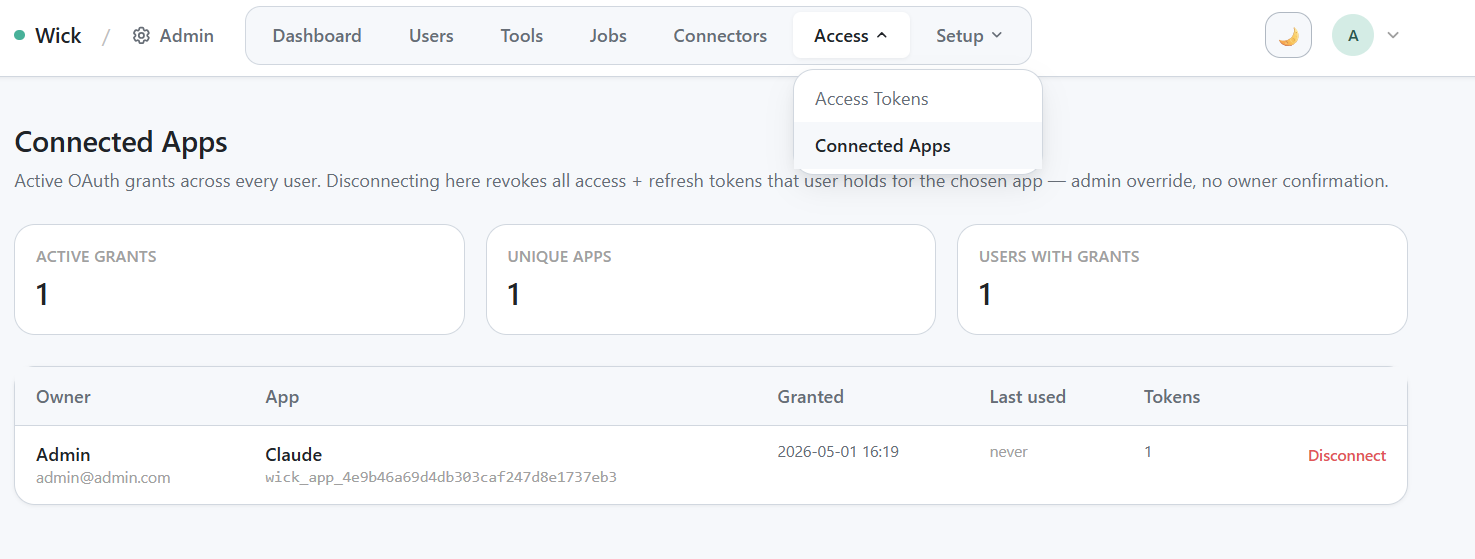
/admin/connections cross-user grant table — one row per (user × OAuth client) with admin Disconnect buttons.
Cross-user view of every active OAuth grant. Each row is one (user × client) pair with at least one valid access or refresh token. Disconnect revokes every token issued to that client for that user; the client must re-do the OAuth dance to regain access.
Operational guide: OAuth Connections.
Tags
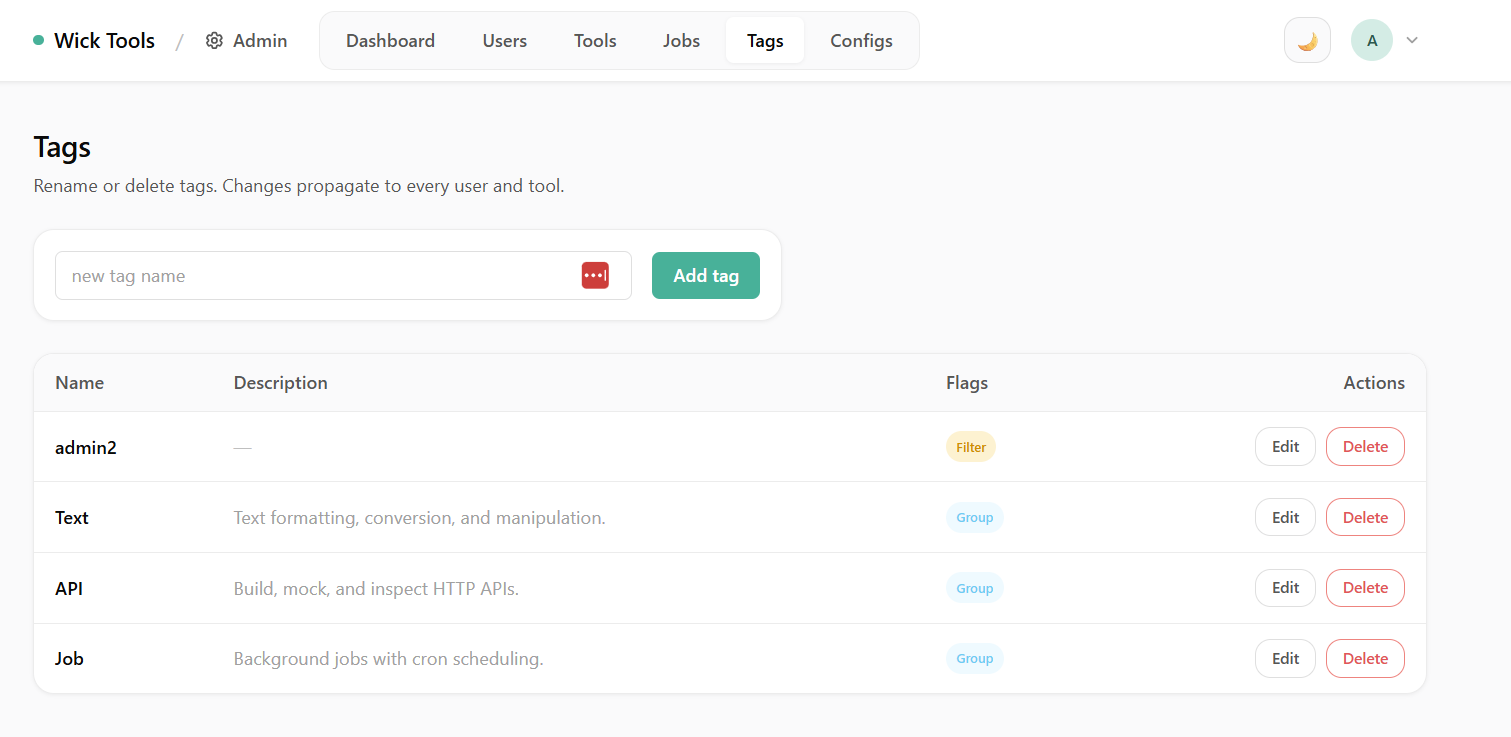 Tags — create group tags (home grouping) and filter tags (access control). System tags render as "Read-only · code-managed" with no Edit/Delete controls.
Three orthogonal flags per tag:
IsGroup— buckets modules visually on the home grid.IsFilter— gates access; rows with ≥1 filter tag are visible only to users carrying a matching tag.IsSystem— code-owned, immutable from the UI. Used by built-in jobs and connectors that ship with wick.
Configs
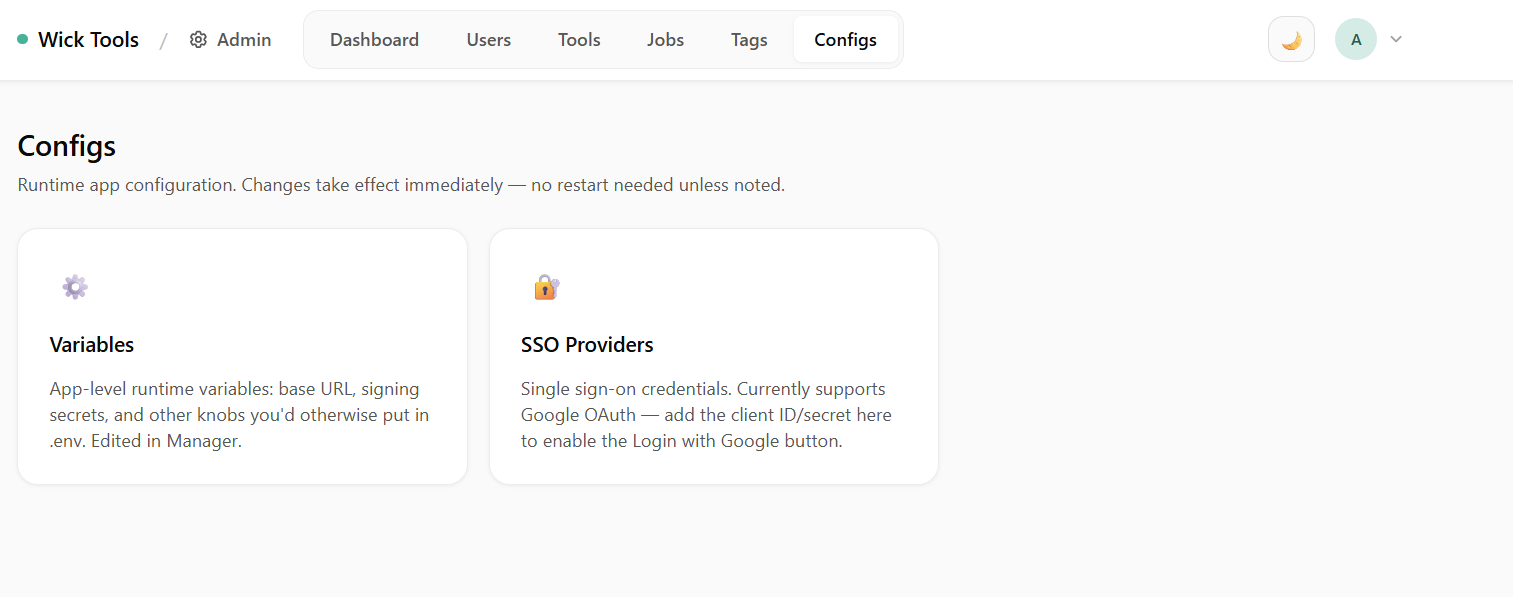 Configs — runtime variables (app name, app URL, SSO providers, OAuth secrets) editable without redeploying. The DB value always wins over env-var seeds.
Env vars seed the row on first boot only; subsequent edits via this page are durable. SSO providers (Google, etc.) are configured here — no client_id/client_secret baked into the binary.
Operational guide: Environment Variables.
Reference
- Module operations: Tool Module, Background Job, Connector Module
- LLM auth: Access Tokens, OAuth Connections, MCP for LLMs
- Maintenance: Connector Runs Purge